Stellanza keeps the guest list, the invitations and RSVPs, the seating chart, the budget and the to-do list in one browser tab. Unlimited guests, free.
Stellanza is a wedding planning app that runs in any web browser, with nothing to download. Couples use it to keep the guest list in one place, send digital invitations and collect RSVPs online, arrange tables on a drag-and-drop seating chart, and track the wedding budget as quotes and payments come in. Unlimited guests, free.
It works on a phone, tablet or laptop, is available in 14 languages including English, Romanian, Bulgarian, Hungarian, Serbian and German, and has a free plan. Several of the planning tools — the budget calculator, the checklist and the seating chart PDF export — can be used without an account at all.
Everything Stellanza does, on one page
Ten parts of planning a wedding. Jump to the one you are stuck on, or read straight down.
One list for everyone you are inviting, with their contact details, the side they belong to, what they can eat and who they are bringing. Import the list you already have from a CSV file, and export it again whenever the venue asks for it.
Import from a CSV file, and export the list back to CSV
Groups, sides and VIP marks, so the list sorts the way the day does
Meal preference, dietary notes and mobility needs on every guest
Plus-ones linked to the guest who brought them
A note and a gift value per guest, for the thank-yous afterwards
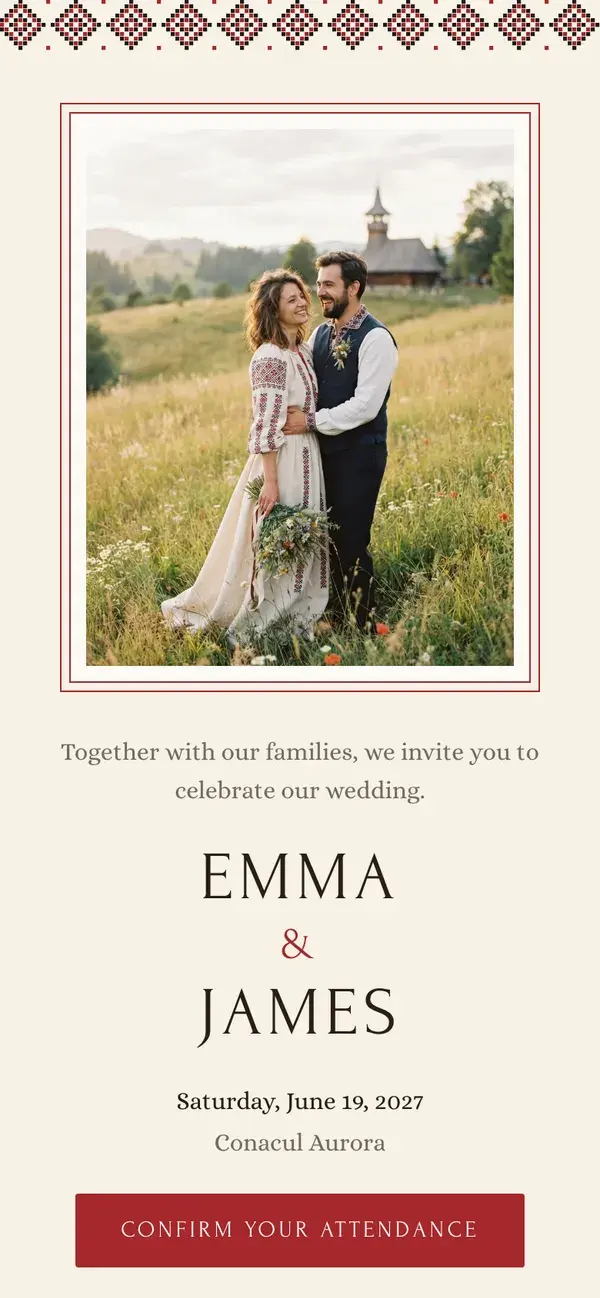
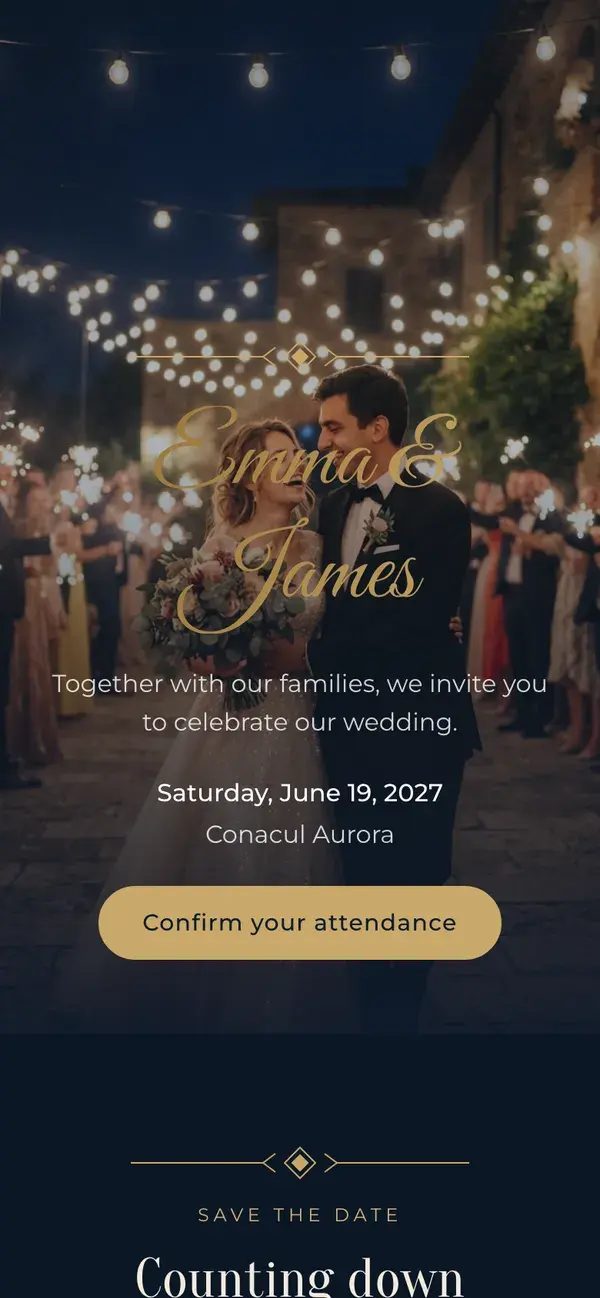
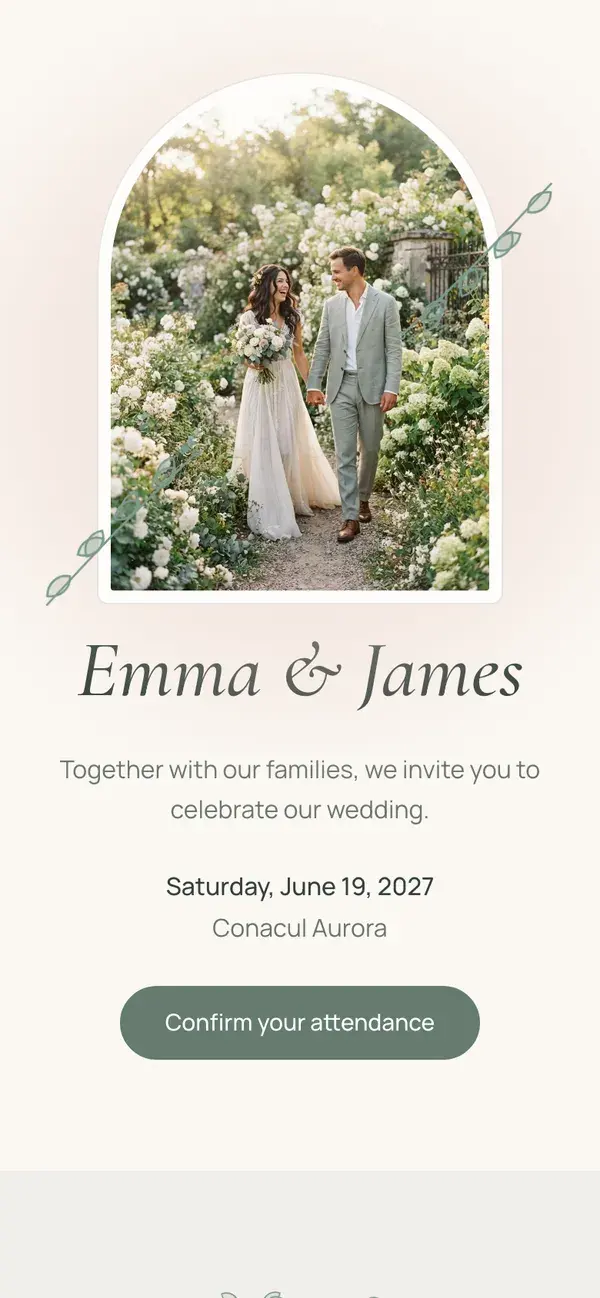
Every guest gets a personal link to your wedding page, where they confirm, choose a meal, leave dietary notes and add a plus-one. Their answer lands on your guest list straight away — nothing to copy across, and no account for them to create.
A wedding page built from sections: hero, countdown, event details and the RSVP form
Templates and colour palettes, with your own welcome and thank-you messages
A personal RSVP link per guest, and a ready-made WhatsApp message to send it with
An RSVP deadline the server enforces, so late replies cannot slip in
A public RSVP form for the guests you missed, held for your approval
Lay the room out as it will be on the day — tables, top table, dance floor — and drag guests into their seats. Stellanza can also arrange everyone for you, seating together the people who belong together and keeping apart the ones who do not.
Round, rectangular and custom tables, rotated and sized to the real room
Automatic seating that respects keep-together and keep-apart rules between guests
Tables marked accessible for guests with mobility needs
Saved versions of the plan, restorable when you change your mind
A printable PDF: a table booklet for the caterer, a poster for the entrance
Set the total you have, then add each cost with its vendor and category. Every line carries both what you were quoted and what it actually came to, so the gap between the two is never a surprise at the end.
Estimated against actual cost on every expense
Paid or unpaid, with the date it was settled
Vendor name and notes on each line
A catering cost per guest that moves as the guest list does
Charts by category, so the largest slice is obvious
A to-do list that knows what has to happen before what, the separate ceremonies of the day each with their own time and place, and a dashboard that says how long is left.
Tasks with due dates, categories and the vendor's phone number and address
Tasks that depend on other tasks, so a blocked one says so
Civil, religious and reception ceremonies kept as separate events
A countdown and the day's numbers — replies in, seats filled, money spent — on one dashboard
Research and book the wedding venue14.02
Send Save the Date cards02.04
Send formal wedding invitations19.06
Create the master seating plan28.08
Civil CeremonyReligious CeremonyReception
Stellanza Photo Album
Your wedding, through their eyes.
Collect the moments your guests capture. Scan a QR code, share a photo, and unlock the feed.
Stellanza is fully translated into fourteen languages — the app, the wedding page your guests open, and every free tool on this site. Most planning apps stop at English.
Yes. The free plan includes unlimited guests, the guest list, RSVP links, the wedding page, the seating chart and budget tracking. Premium adds the AI seating assistant, premium seating-chart exports and invitation designs for a one-time payment. There is no subscription.
Do I need to install anything?
No. Stellanza runs in a web browser on a phone, a tablet or a laptop. Your guests install nothing either — they open the link you send them and reply on the page.
Can I use the tools without an account?
Yes. The checklists, budget spreadsheets, guest list templates, seating charts and the invitation designer on this site all work without signing up, and what they produce downloads or prints straight from the page.
Can I import a guest list I already have?
Yes. Upload it as a CSV file and Stellanza reads the names, contact details and notes into your guest list. You can export the list back to CSV at any point — for the caterer, for the venue, or simply to keep a copy.
How do guests reply?
Each guest gets a personal link. It opens your wedding page, where they confirm or decline, choose a meal, add dietary notes and bring a plus-one if you allow it. The answer appears on your guest list immediately, and you can set a deadline after which replies close.
Can I print the seating chart?
Yes. The seating plan exports as a PDF — a table booklet to hand to the venue and the caterer, and a poster to print for the entrance so guests can find their table.
Which languages is Stellanza available in?
Fourteen: English, Romanian, Spanish, Italian, German, Russian, Ukrainian, Serbian, Bulgarian, Hungarian, Macedonian, Albanian, Arabic and Hebrew. The app, the wedding page your guests see and the free tools are all translated.
Ready to start planning?
Plan your guest list, RSVPs, seating chart, budget and tasks with Stellanza.