Stellanza
Wedding page and RSVPs

Your wedding page, in six designs

Send personalized digital links to your guests. They can confirm their attendance and select their meals in seconds.

Free for unlimited guests. Premium designs are a one-time payment per wedding.
app.stellanza.com/en/rsvp/8f3c1aโ€ฆ
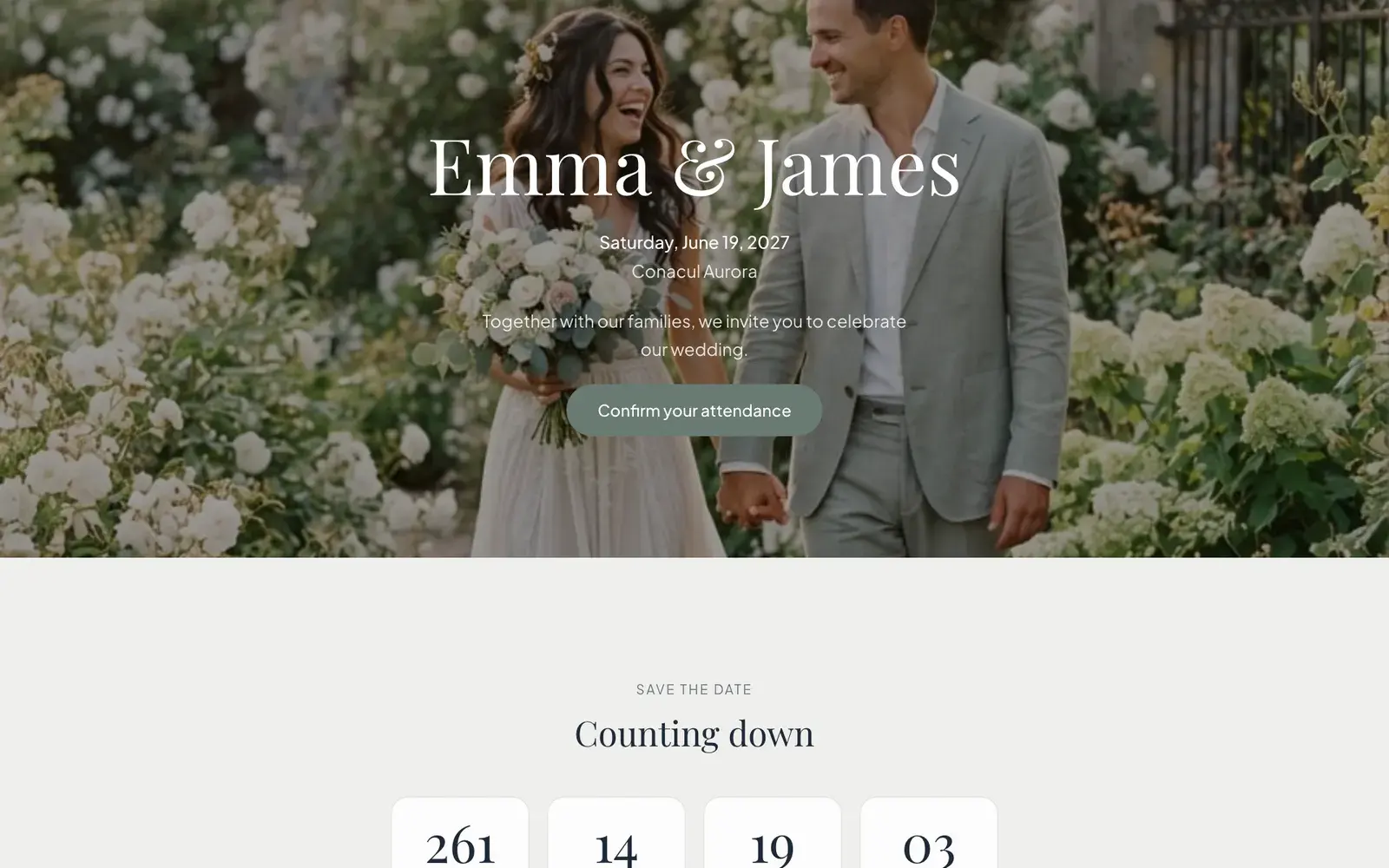
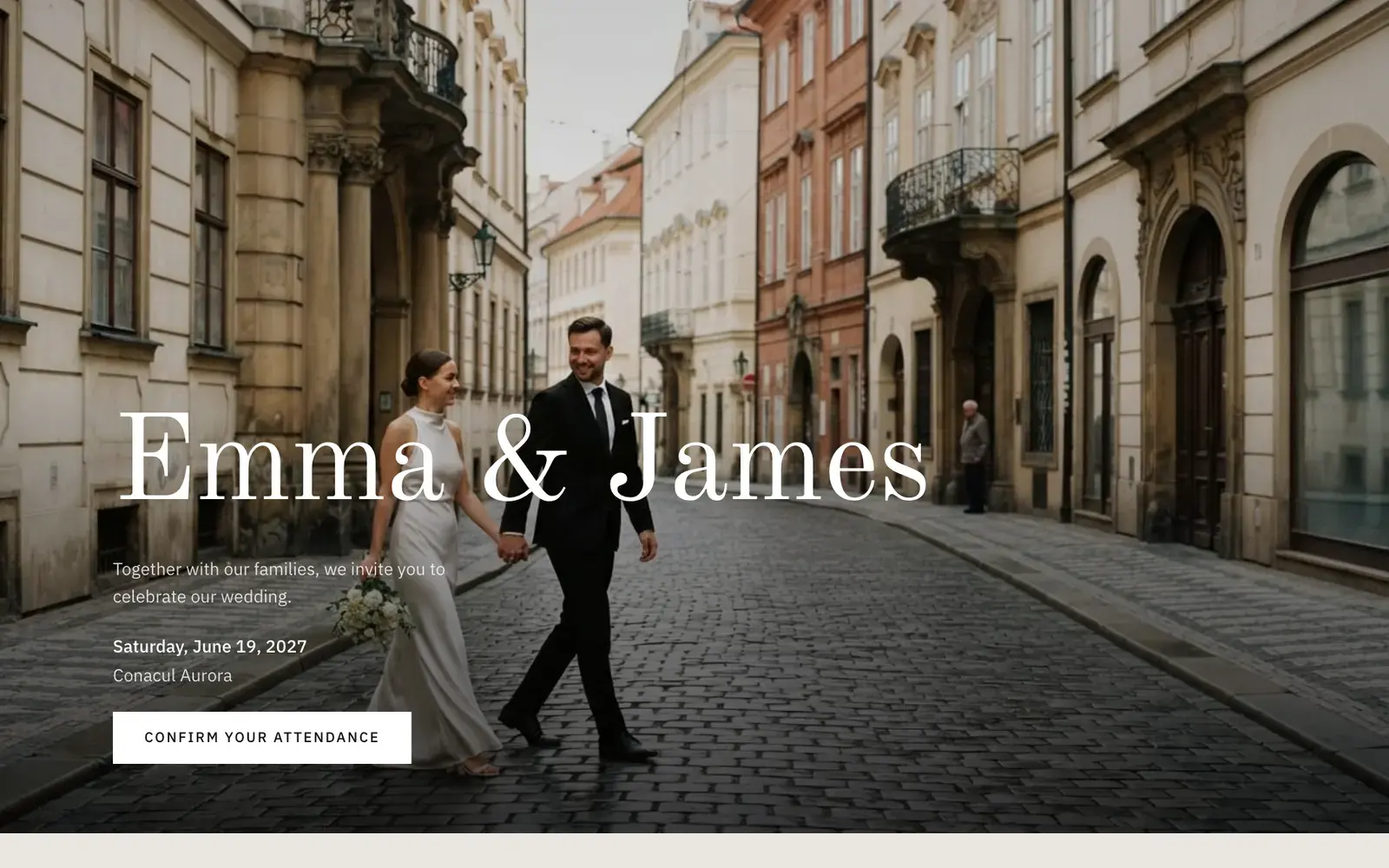
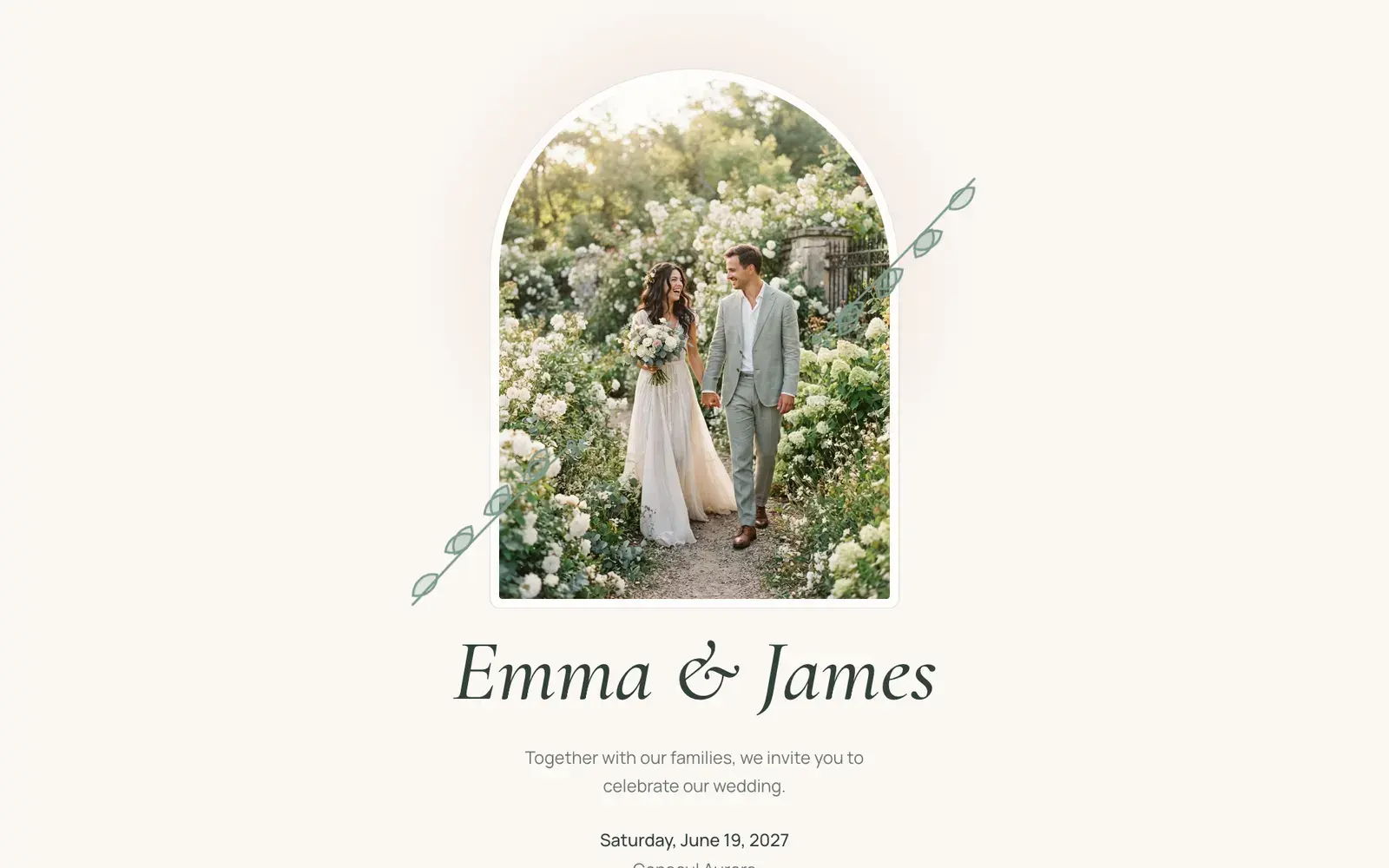
Stellanza wedding page, Botanical design, on a laptop
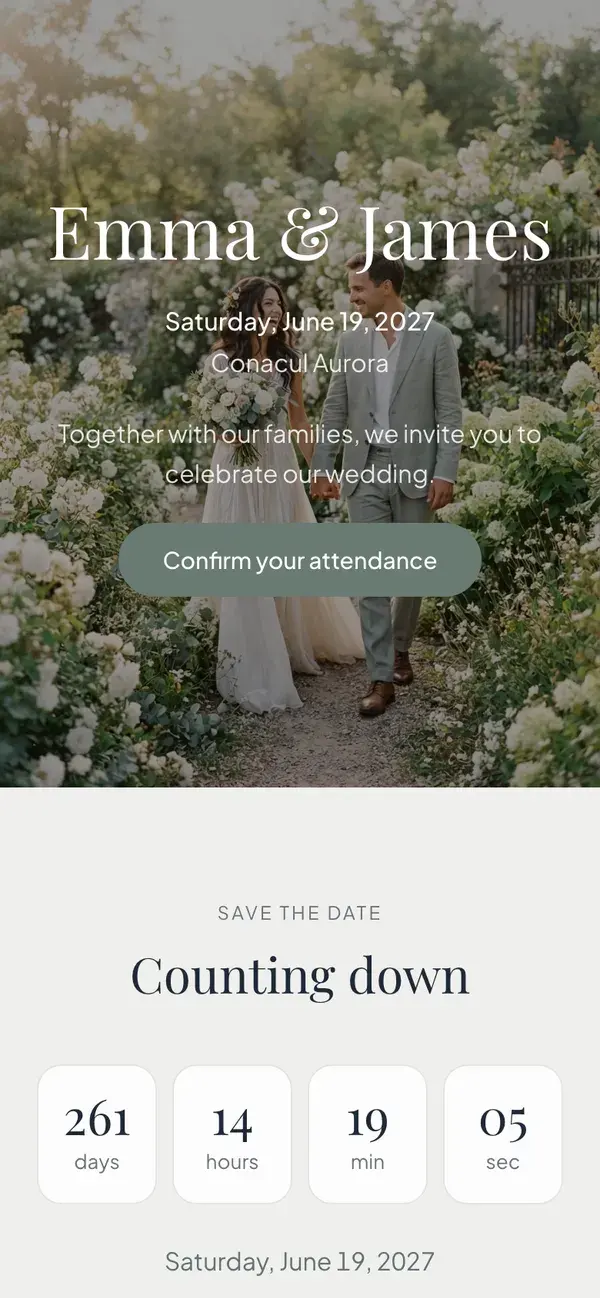
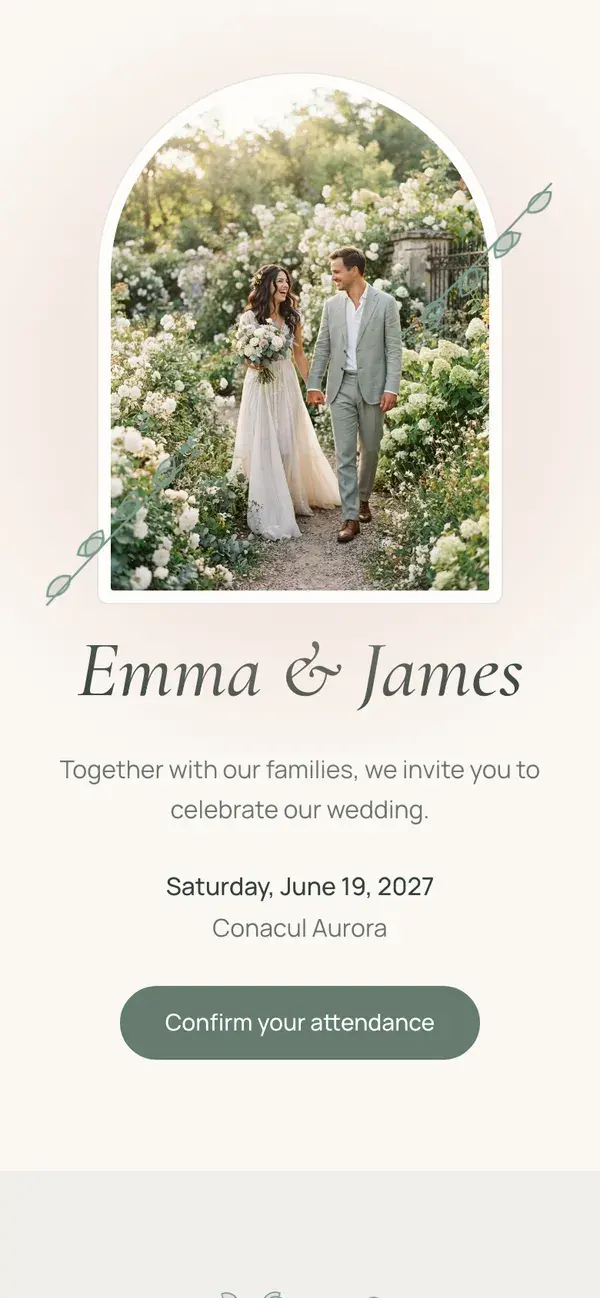
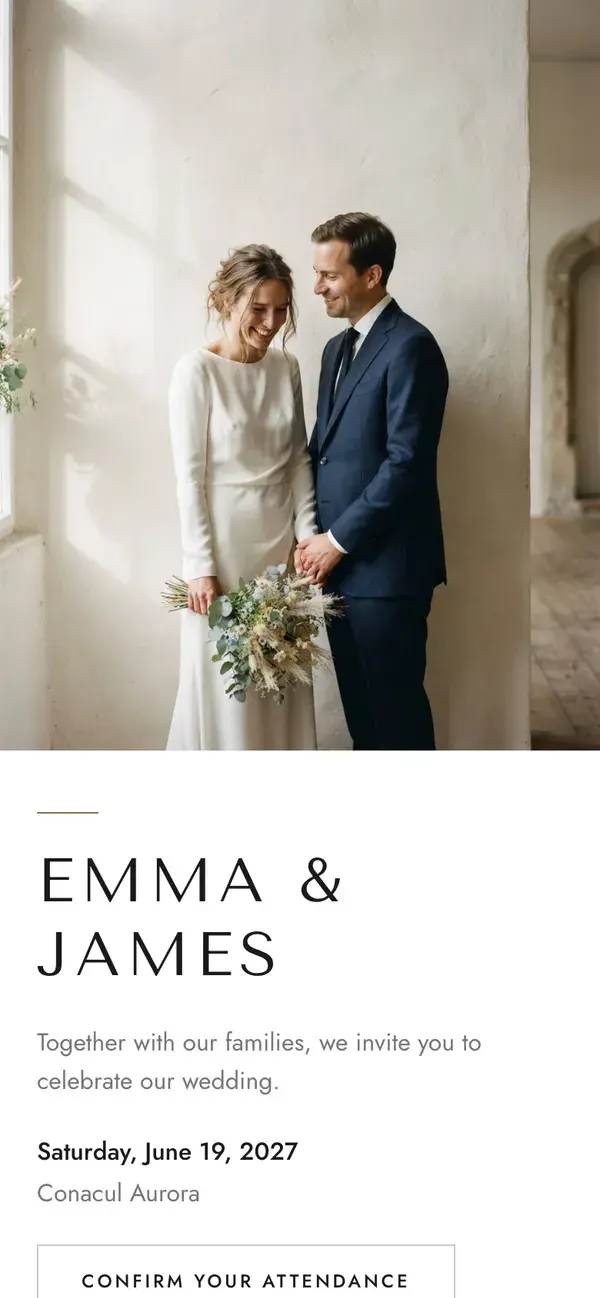
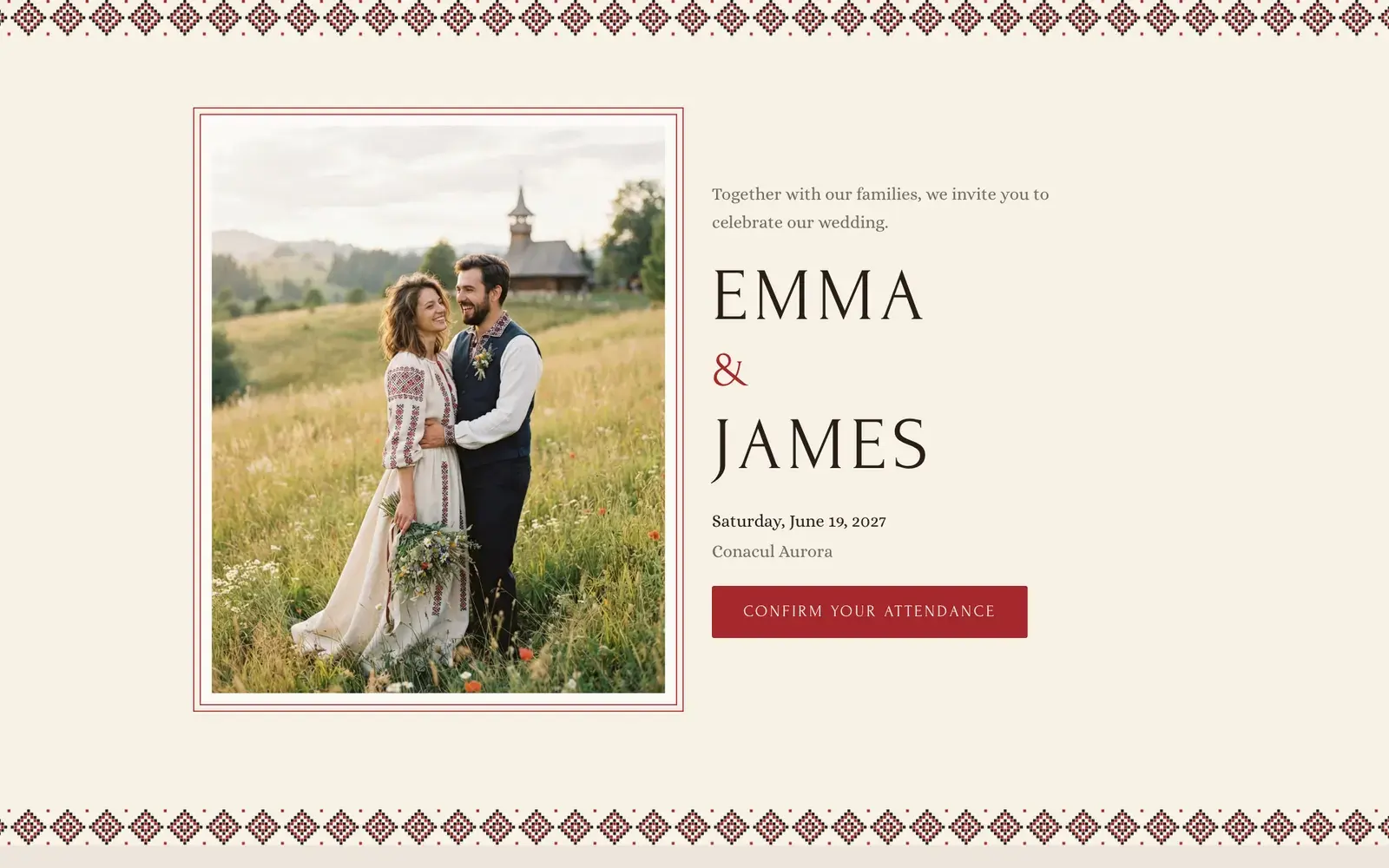
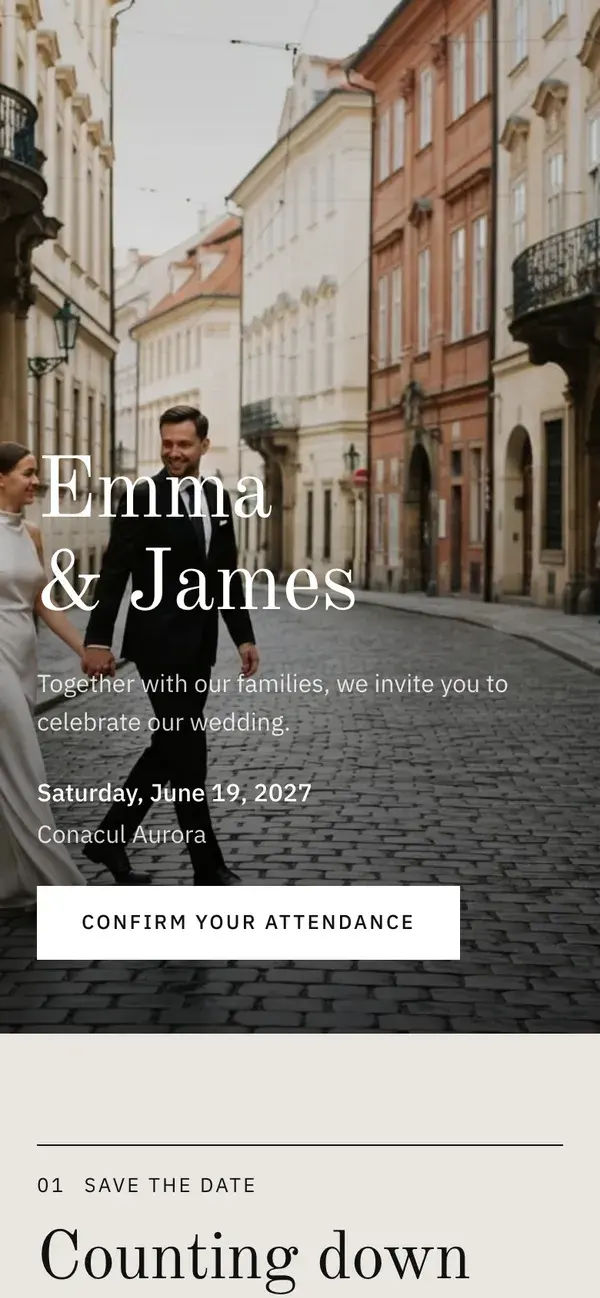
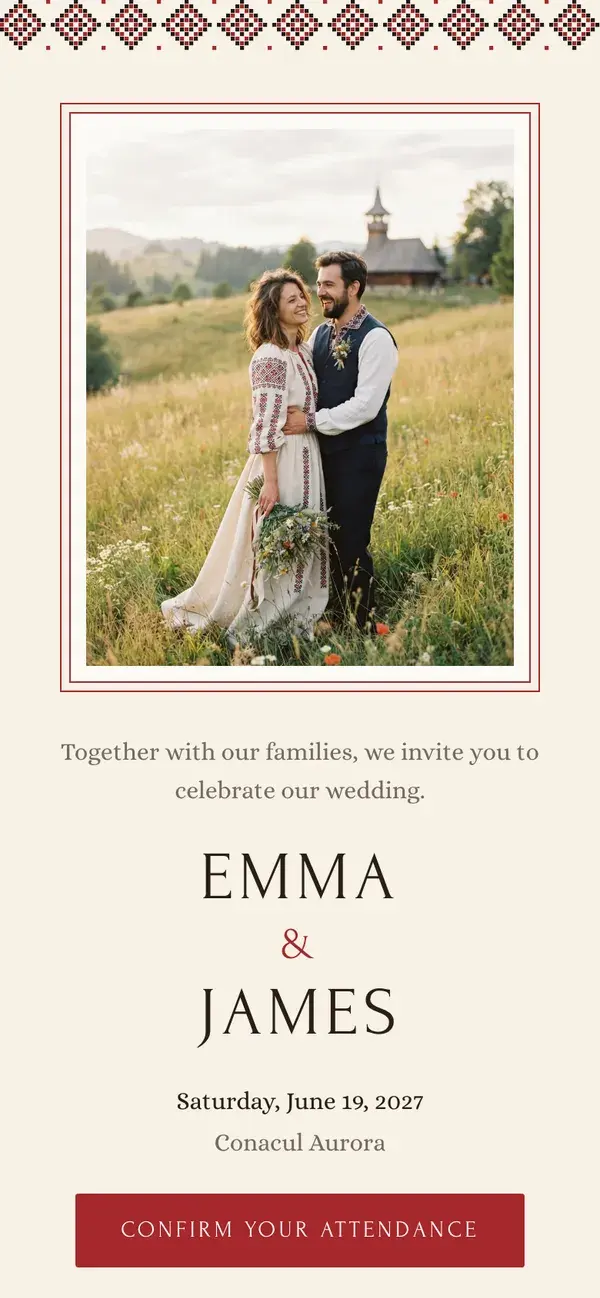
Stellanza wedding page, Heritage design, on a phone
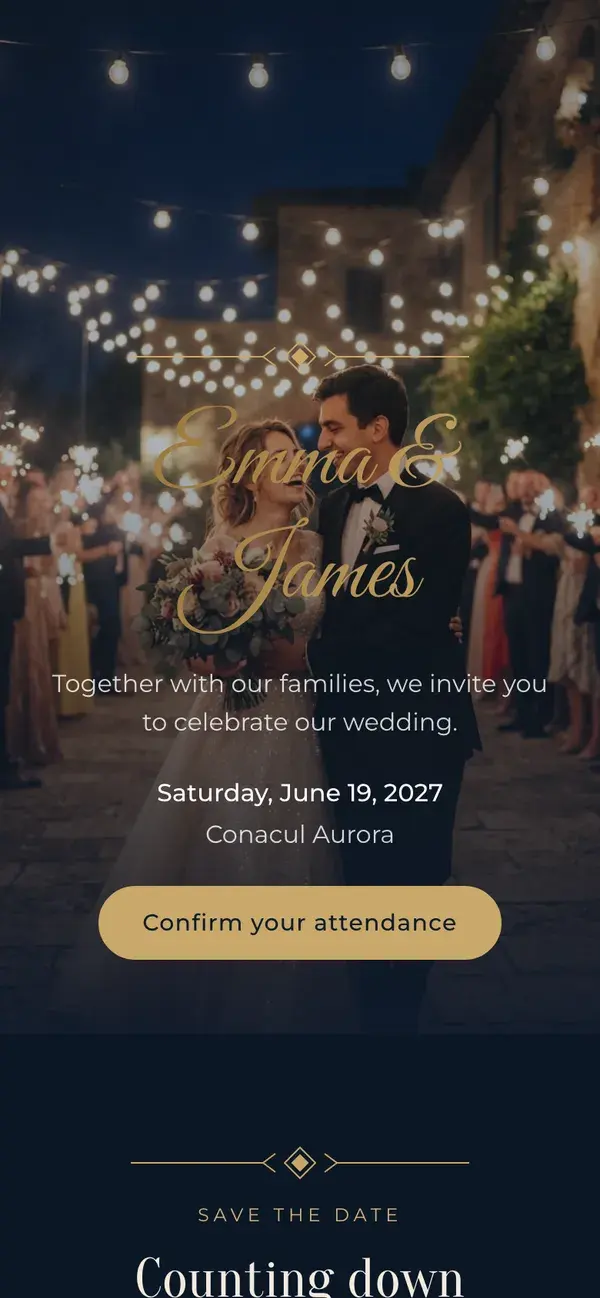
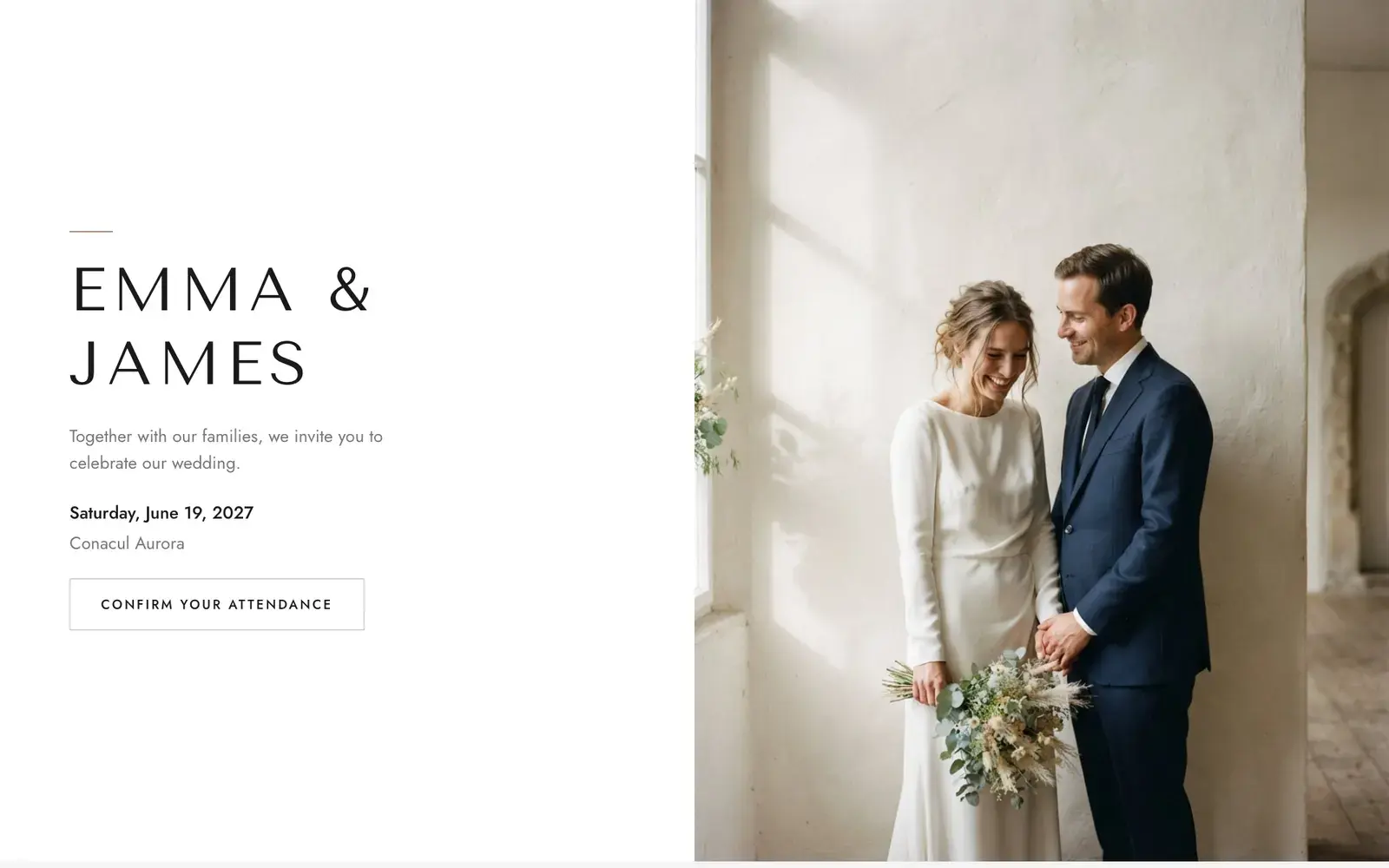
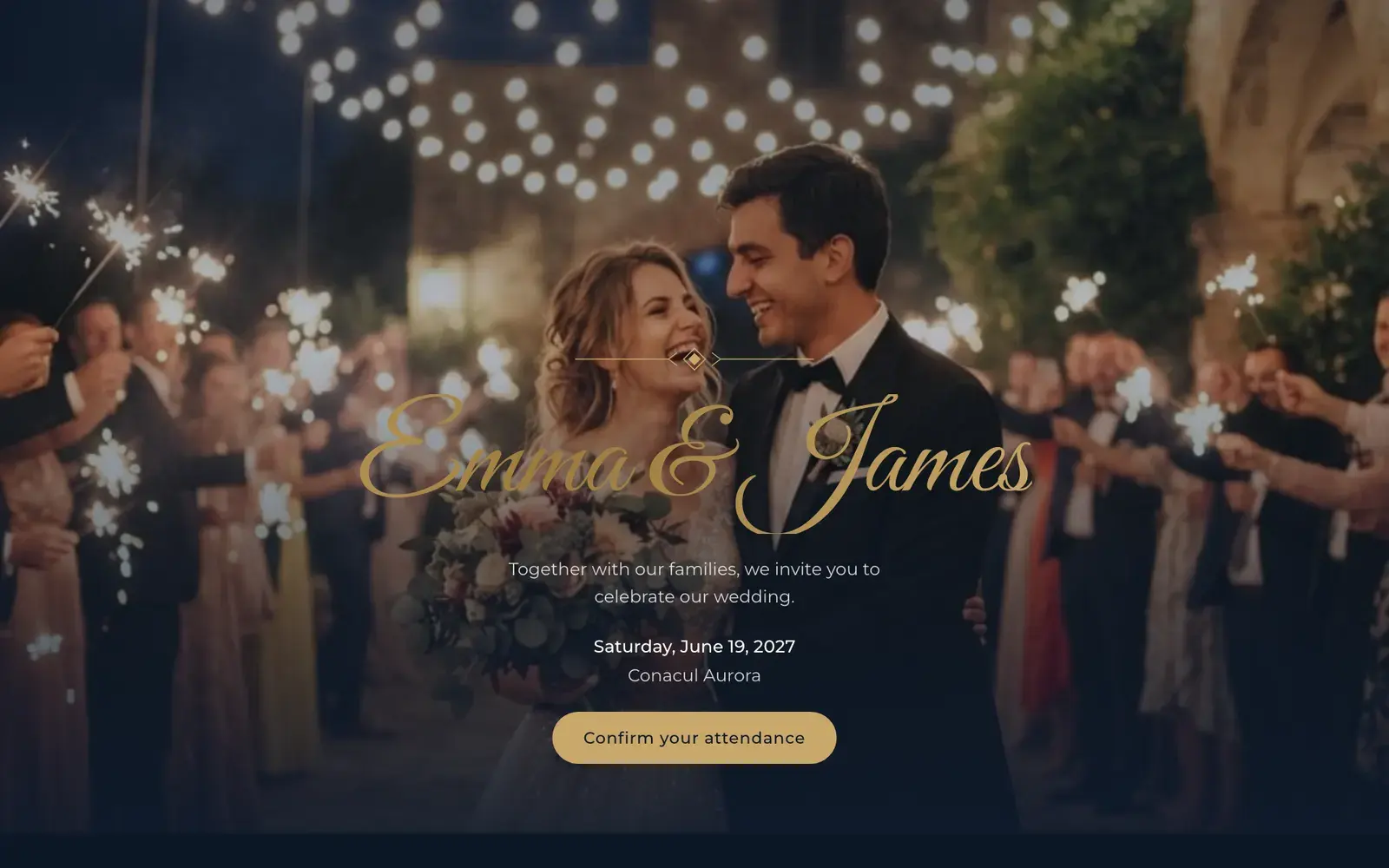
Six designs for one wedding page. Pick your look, add your details, and every guest gets a link that opens on their phone.

How do Stellanza digital invitations and RSVPs work?

Stellanza gives each guest a personalised invitation link tied to their entry on the guest list. They open it in a browser, confirm whether they are coming, choose a meal, note any dietary requirements and add their plus-ones. There is nothing for them to install and no account for them to create.

Replies feed straight back into the guest list, so the headcount and the seating chart stay current without anyone retyping anything. Guests can respond until the RSVP deadline you set, and invitations can be sent in any of the 14 supported languages.

Online Wedding RSVPGuests reply from a link; every answer lands in your guest list.

Six designs for your wedding page

Classic is included in the free plan. Botanical, Editorial, Heritage, Minimal and Evening are Premium: one payment per wedding, no subscription. You can try every design in the builder before you decide, and guests see Classic until you upgrade.

app.stellanza.com/en/rsvp/8f3c1aโ€ฆ
Stellanza wedding page, Classic design, on a laptop
Stellanza wedding page, Classic design, on a phone

Colours and fonts that match your wedding

Each design comes with its own colour palettes, 33 in all, and a font pairing made for it. Change them at any time and every guest sees the new look straight away.

  • Decorations to match the design, from embroidery bands and leaves to art-deco lines
  • A choice of layout for each section, such as an arched, framed or full-width cover
  • Your own photos, uploaded and cropped to fit
colour palettes
33colour palettes
font pairings
6font pairings
sections
14sections
languages
12languages

Everything your wedding page can hold

Switch on the sections you need and leave the rest out. Every section works in every design, including the free one.

  • Cover

    Your names, the date and a photo: the first thing guests see.

  • Countdown

    A live countdown to the day.

  • Programme

    The order of the day, with add-to-calendar and map links for each part.

  • Our story

    A few lines and a photo about how you met.

  • Our people

    Introduce your parents, godparents and wedding party.

  • Gallery

    A few favourite photos, cropped to fit.

  • Shared photo album

    A link to the album where guests add their photos.

  • Venue

    Where the party is, with directions.

  • Dress code

    Tell guests what to wear, with the colours you have in mind.

  • Travel & stay

    Hotels, transfers and parking.

  • FAQ

    Answer the usual questions once, for everyone.

  • Gifts

    A gift note, with your bank details and a copy button if you want.

  • RSVP form

    Attendance, meal choice, dietary notes and plus-ones: only the fields you switch on.

  • Footer

    A closing line with your names and the date.

  • Six designs for one wedding page. Pick your look, add your details, and every guest gets a link that opens on their phone.See a live example

Personalized Links

Every guest gets a unique URL.

Meal Choices

Let them pick Standard, Vegetarian, Vegan or Gluten-free.

RSVP Deadline

Replies close on the date you choose.

Guest lookup

With one shared link, guests type their name and find their invitation.

Auto-sync

Answers feed directly into your guest list.

Two ways for guests to reply

A personal link for each guest

Each guest gets a link tied to their own place on the guest list. It opens their invitation, already addressed to them.

One shared link with name lookup

Put the same link in a group chat. Guests search for their name, find their invitation and reply. Anyone you missed can ask to be added, and you approve them.

How digital RSVPs work

  1. 1. Generate links

    Stellanza creates unique links for every party.

  2. 2. Send them out

    Text or email the links to your friends and family.

  3. 3. Collect answers

    Guests click, select their food, and hit submit.

Paper invitations or a wedding page?

A printed card is still a good keepsake, and many couples send both. The page is where the details that do not fit on a card live: the schedule, the map, the dress code and the godparents. It also records each reply, so nobody has to copy answers from messages into a list.

Replies
Wedding page: Land in your guest list on their own
Paper: Entered by hand
Changes
Wedding page: Edit once and the same link shows the update
Paper: A printed card cannot be corrected
Keepsake
Wedding page: Lives on a phone
Paper: Paper wins

Professional Planning Power

Elevate your wedding organization with our advanced suite of professional tools.

  • Send personalized digital links
  • Collect dietary requirements securely
  • Enable easy +1 management
  • Close replies on your deadline

Choose Your Fields

Turn meal choices, dietary notes and plus-ones on or off for your invitation.

Invitation Templates

Pick a design for your RSVP page and make it your own.

Personalized Messaging

Write your own welcome and thank-you messages for your RSVP page.

Frequently Asked Questions

Are the RSVP links customized?
Yes, each guest receives a unique link tied to their invitation and family group.
Can guests update their RSVP?
Guests can update their RSVP status until the deadline you specify in your settings.
What is a wedding website with RSVP, and does Stellanza offer one?
Yes. Stellanza gives each wedding a page with sections such as the schedule, the venue with directions, the dress code and an RSVP form. Guests open a link on their phone and reply without creating an account. The Classic design is free; five more designs are Premium, a one-time payment per wedding.
How do guests confirm attendance, choose a meal and add a plus-one?
They open their link, say yes or no, choose a meal, add dietary notes and add a plus-one if you allow it. You decide which of these questions appear, and you set a deadline after which replies close. Every answer goes straight into your Stellanza guest list.
Do guests need an account or an app to reply?
No. The wedding page opens in a normal browser on any phone or laptop, in any of 14 languages. Guests have nothing to install and no account to create; they open the link, reply and are done.
What is the difference between the free and Premium wedding page designs?
Classic is included in the free plan. Botanical, Editorial, Heritage, Minimal and Evening are Premium, together with all 33 colour palettes and six font pairings, for a one-time payment per wedding with no subscription. The sections and the RSVP form are the same in every design.
Can I include the godparents on my wedding page?
Yes. The Our people section introduces your godparents, your parents and your wedding party. The Heritage design, inspired by Romanian and Balkan embroidery, gives the godparents a place of honour on the page.

Ready to simplify your wedding planning?

Bring your guest list, RSVPs, seating chart, budget and tasks into one planner.

Free for unlimited guests. Premium designs are a one-time payment per wedding.
Stellanza wedding page, Botanical design, on a phone
Stellanza wedding page, Evening design, on a phone
Stellanza wedding page, Minimal design, on a phone